








Professional services · Client identity withheld

Identity security case study: Microsoft 365 incident response

This identity security case study began with a routine Microsoft 365 review for an Australian advisory firm. Compuloop found an active mailbox breach, contained access and strengthened identity and email controls.

Network cables connected to enterprise infrastructure
$19.5KInvestment
$50KFraud prevented
$31.6KRecurring annual saving
47Days undetected before

Project technologies and related platforms we support

Microsoft logo
SentinelOne
Veeam
The starting point

The business challenge

The firm came to us for a fixed-price health check ahead of a cyber insurance renewal. There was no suspicion of breach. The insurer had asked whether MFA was enforced and email authentication configured, and the firm wanted a second opinion before answering.

The review started with sign-in logs. Within two hours it had become an incident response project.

What the assessment found

Two accounts accessed from an overseas IP range outside business hours. One mailbox had a hidden inbox rule forwarding messages containing “invoice”, “payment” or “remittance” to an external address. Legacy SMTP and IMAP enabled tenant-wide. One staff member had used an app password to sync their work mailbox to a personal Gmail account. MFA disabled for all 45 users, and audit logging retained only the default 90 days.

Why it mattered

The attacker had been reading invoice and payment emails for 47 days. Three supplier invoices had been altered and re-sent from the breached mailbox with changed bank details. No funds were lost — only because one supplier's accounts team phoned to verify. That phone call was the difference between a security review and a fraud claim.

Two further issues mattered. The personal Gmail sync meant company data sat outside the firm's control with no visibility, no retention and no clear way to cut off access. And the absence of MFA meant the breach was not a clever attack — it was almost certainly a attack using reused passwords that would have been stopped by a control the firm already paid for through its Microsoft licences.

Technology in context

Identity protection in practice

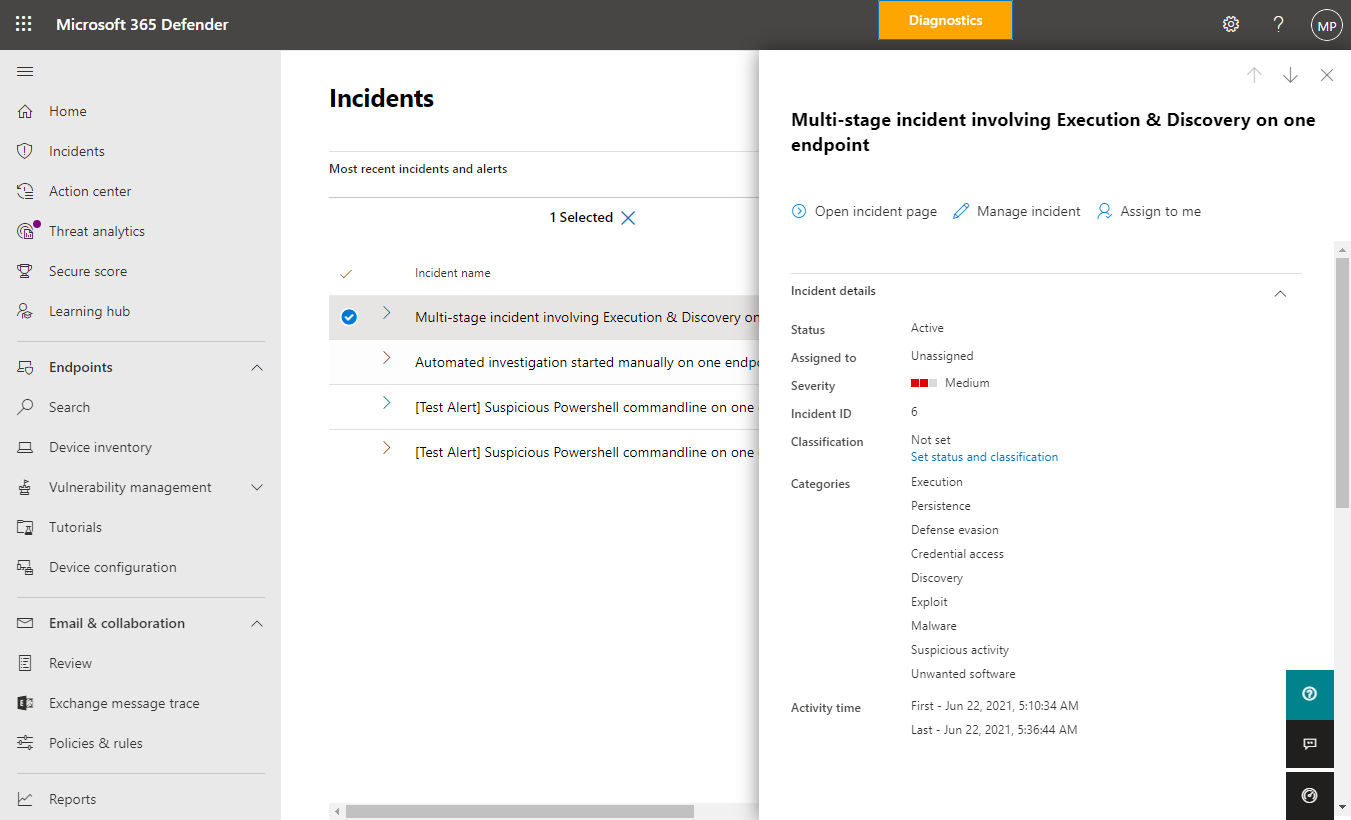
Microsoft Defender example incident details and affected devices

A clearer view of security incidents

Microsoft Defender brings incident details into a single view. This example shows how security teams can review affected devices and incident status.

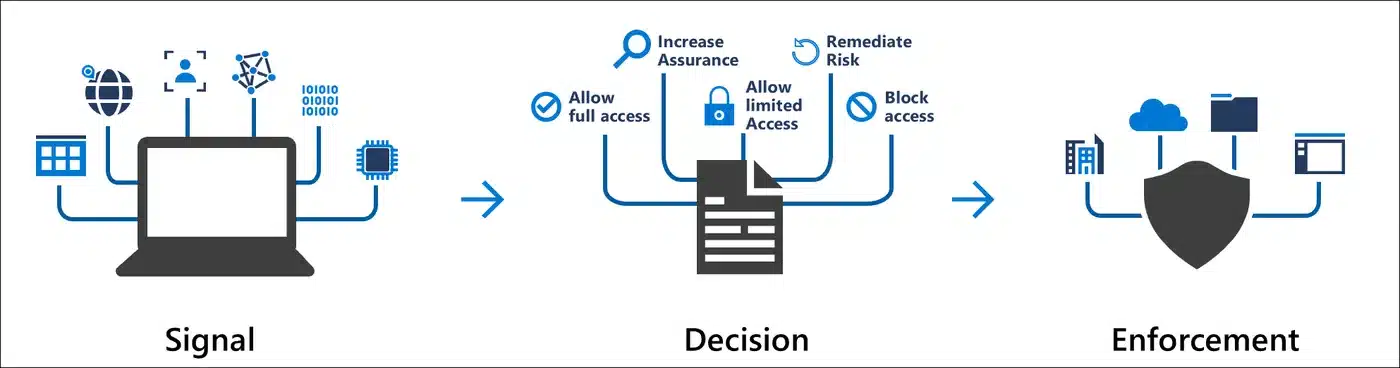
Microsoft Entra Conditional Access signals decisions and access enforcement

Identity decisions before access

Microsoft Entra Conditional Access evaluates signals and applies access controls. It helps explain the identity controls described in these projects.

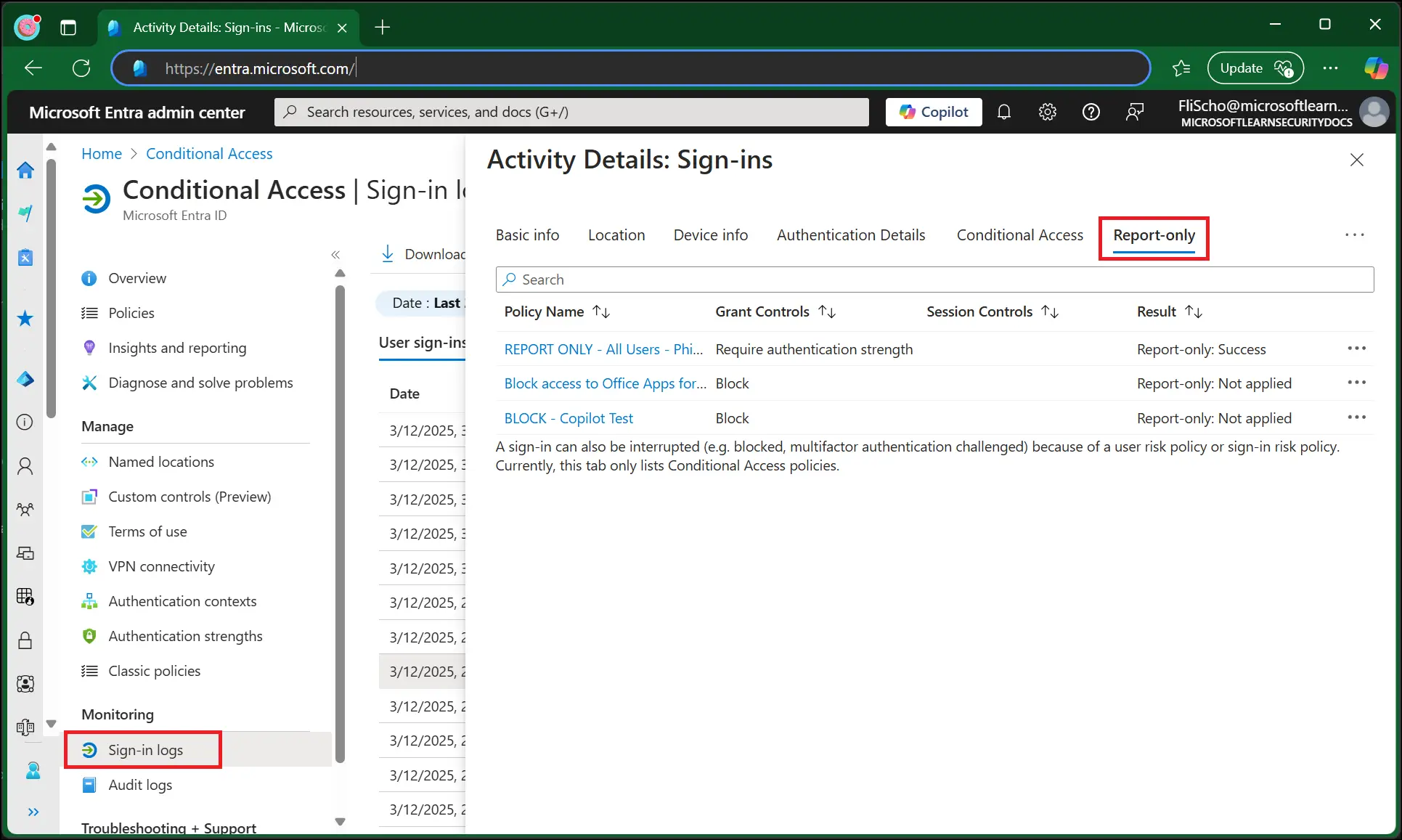
Microsoft Entra report-only policy example

Review policies before enforcement

Microsoft’s report-only example illustrates how administrators can evaluate access policies.

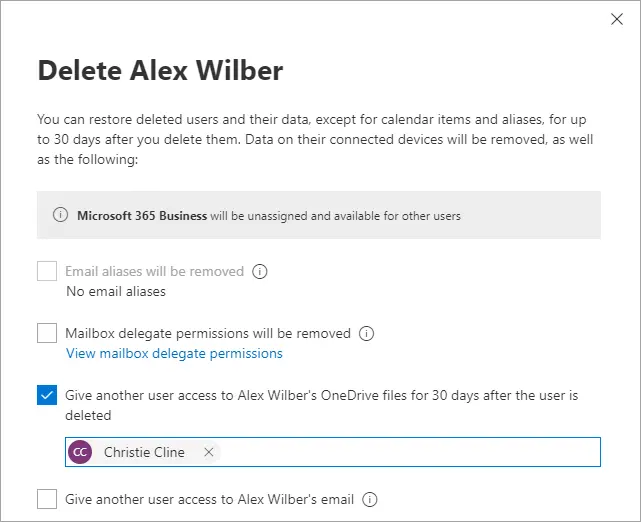
Microsoft 365 OneDrive offboarding example

Ownership when staff leave

A Microsoft product example illustrates OneDrive access during offboarding.

The implementation

How this identity security case study was delivered

01

Days 1–2 · Contain

Revoked all active sessions and refresh tokens, reset credentials, removed malicious inbox rules and external forwarding, disabled legacy authentication tenant-wide, removed the third-party app password. Preserved logs and exported evidence before any change.

02

Days 3–5 · Assess and notify

Reviewed all 45 mailboxes for similar rules and forwarding, checked sign-in activity for unusual places and travel patterns, and prepared a factual incident summary for the insurer and two affected suppliers. Advised on the need to assess whether the breach had to be reported.

03

Week 2 · Identity hardening

MFA with number matching across all users. Conditional access: compliant device or MFA, geo-restriction to Australia plus travel exception group, high-risk sign-in block. Removed standing admin roles, created three privileged accounts, enabled self-service password reset.

04

Week 3 · Email and application control

Defender for Office 365 P1 with safe links, safe attachments and anti-phishing. DMARC p=none → p=reject with DKIM and SPF aligned. App consent restrictions, 12-month audit retention, and a 45-minute all-staff session on credential hygiene and invoice fraud.

Practical obstacles, handled in stages

  • MFA rollout to a resistant, client-facing team. Partners worried about friction during meetings. We deployed number matching, enabled 30-day trusted device windows on the office network, and ran the rollout in two waves with a drop-in session.
  • An old line-of-business app using SMTP. Blocking legacy auth broke a practice management integration. We moved it to an application registration with a scoped service principal and conditional access exception, documented and reviewed quarterly.
  • The Gmail sync. The staff member had done it to check email on a personal phone. The real fix was Outlook mobile with app protection policies — removing the need for the behaviour.

Controls that stay in place

The project also established repeatable processes. These controls support ongoing operation after the initial rollout.

  • Conditional access enforced at every sign-in
  • MFA with number matching — blocks fatigue attacks automatically
  • Self-service password reset — removed 19 resets/month from helpdesk
  • Defender safe links, safe attachments and anti-phishing applied by policy
  • Automated inbox rule and forwarding audit across all 45 mailboxes
  • Session and token revocation on demand, preserving evidence first
  • App consent restrictions blocking unapproved third-party access

Review your Microsoft 365 security

Talk through your priorities, current systems and next practical step with Compuloop.

Discuss your project
Measured change

identity security case study results

The following before-and-after figures relate to this engagement. The scope and starting position matter when comparing them with another business.

MeasureBeforeAfter
MFA enforcement0% of users100% with number matching
Legacy authenticationEnabled tenant-wideBlocked
Compromised / dormant accounts2 active, 6 dormant0
External mail forwarding rules1 malicious, 4 unknown0 unauthorised
DMARC policyp=nonep=reject
Audit log retention90 days12 months
Phishing attempts blocked (month 1)Not measured312

Time returned to the team

12m → 4m

Phishing triage per staff member per week

25 → 6

Password resets per month (SSPR)

9 hrs

Weekly staff time recovered across firm

Automated

Inbox rule audit (was ad hoc)

The financial picture

Project-specific financial model. Avoided losses and productivity benefits are estimates, not guaranteed cash savings or returns.

Line itemValue
Project investment (incident + 3 weeks)$19,500
Fraud loss prevented (three altered invoices)~$50,000
Avoided: forensic investigation, legal, notification$40,000–$120,000
Avoided: insurance premium increase (8–15%)~$2,400–$4,500 / yr
Annual recurring: phishing triage time saved~$28,000 / yr
Annual recurring: helpdesk resets saved~$3,600 / yr
PaybackImmediate (fraud loss alone exceeds investment 2.5×)

Lessons for your business

  • Check for malicious inbox rules and forwarding today. It takes ten minutes and it's the single most common sign of an active BEC.
  • MFA and legacy auth blocking are included in licences most firms already own. This is setup, not budget.
  • Invoice fraud is caught by a phone call, not a firewall. Train the finance team on checks through a separate, trusted contact method.

Explore the relevant services

Background guidance: read the relevant official framework or product documentation. This explains the technology; it is not independent verification of this client project.

Discuss a similar project

If this identity security case study reflects a problem in your business, start with a scoped conversation. Tell us about your sites, people, systems and current priorities. We can then identify the right assessment, the practical constraints and the evidence you need.

Compuloop case studies

Download case study

Identity security case study: Microsoft 365 incident response

Enter your details and agree to email updates. We will email a secure link that confirms your address and opens this PDF. You can unsubscribe from marketing at any time.

    Compuloop Pty Ltd collects these details to manage your PDF request and email subscription. Your contact details and consent record are stored using our WordPress/Mailchimp integration; Mailchimp may process data overseas. We do not enrol you in SMS marketing. Read our privacy policy or contact sales@compuloop.com.au.