


Run the real job application, forms, maps, printer language, VPN and peripheral drivers before committing to a fleet.
Rugged devices for Australian field teams
Rugged computers, scanners, printers and networking for work beyond the office
Select field hardware and site connectivity around software, sunlight, drops, dust, water, mounting, power, roaming and serviceability—then configure it as one supportable environment.
Sunlight + glove useTest the display in the real work environment
Hot-swap powerPlan charging around a complete shift
IP + drop ratingsMatch protection to actual exposure
Apps + connectivityValidate Wi-Fi, scanners, docks and MDM
Start with the work
A rugged label is not a buying specification
Recent conversations among business IT teams and field users keep returning to the same practical issues: application compatibility, screen visibility, real shift-length battery life, docks and ports, mobile connectivity, fleet management and a support path that works after rollout.
Continuous GPS, 5G, scanning, bright screens and cold or hot conditions can change battery results substantially.
Docks, cradles, mounts, spare batteries, styluses, media, warranty service and MDM can matter as much as the device.
 TOUGHBOOK in field use
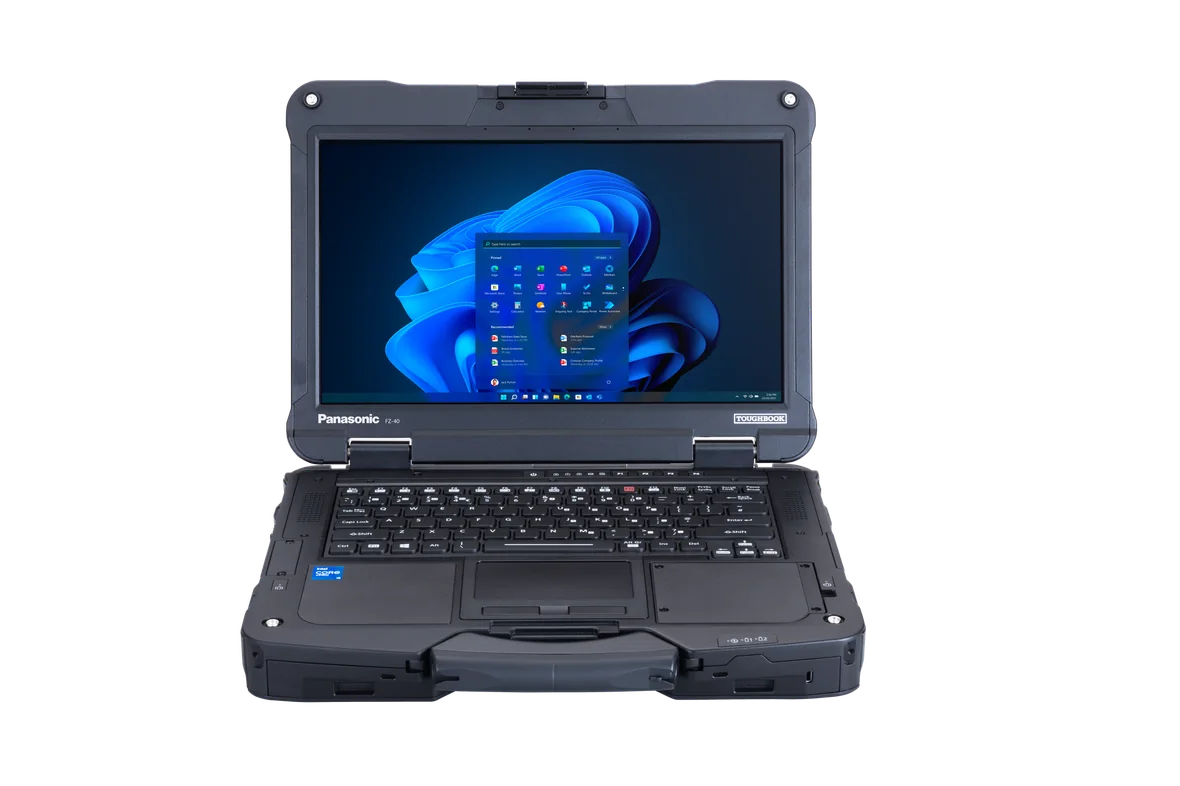
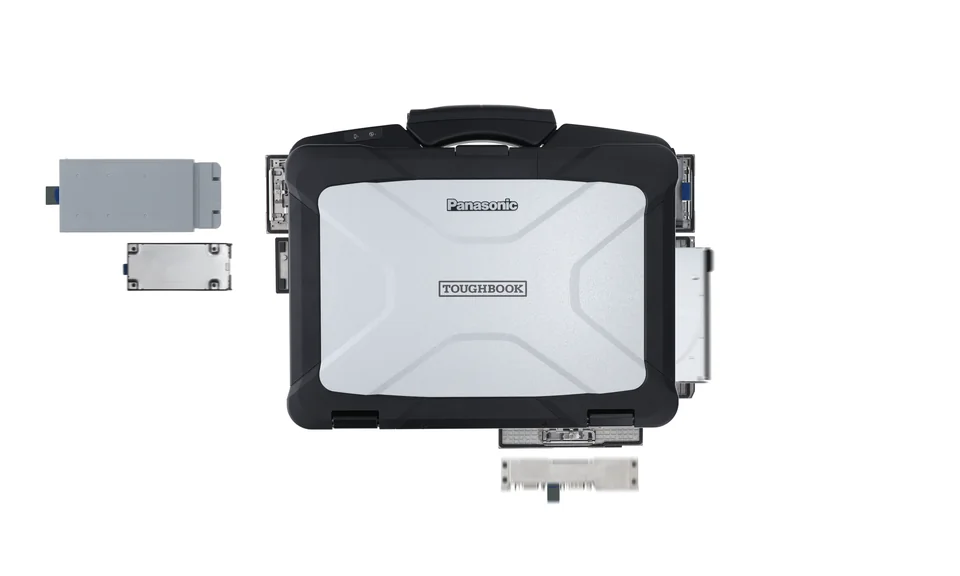
 TOUGHBOOK 40 — full device
Showcase 01 / Rugged laptops
Full Windows capability without office-only assumptions
Rugged laptops suit engineers, technicians, supervisors and emergency teams that need desktop applications, physical keyboards, field ports and repairable configurations at the point of work.
Panasonic TOUGHBOOK 40 familyFully rugged 14-inch platform with IP66 and MIL-STD-810H testing, a 1.8-metre drop specification, 1,200 cd/m² glove-capable touch display and optional second battery for up to 24 hours. Australian configuration and current MK2/MK3 availability must be confirmed.
Dell Pro Rugged 14Current semi-rugged alternative with IP53 protection, a 0.9-metre drop specification, optional 1,100-nit glove-touch display, hot-swappable battery options, 5G and configurable legacy ports.
- Windows and specialist app compatibility
- True serial, LAN and expansion ports
- Vehicle docks and antenna pass-through
- Brightness, rain and glove operation
- Hot-swap batteries and field spares
- Warranty turnaround and repair model
Field-user lesson: familiar driver and firmware management can save real support time. Fully rugged hardware is valuable when the environment demands it; semi-rugged can be the better operational and budget fit elsewhere.
Build a rugged-laptop shortlist → Tablet + phone on site
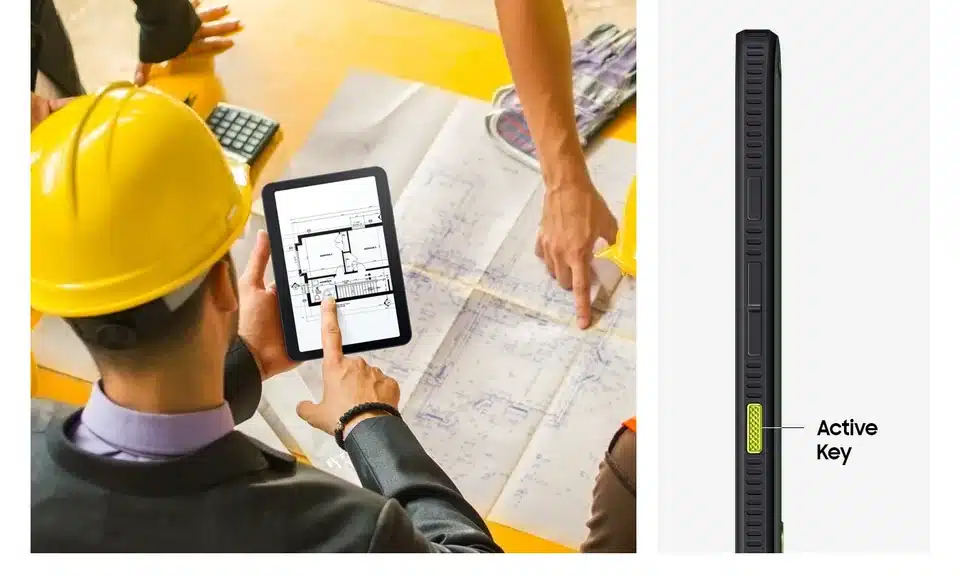
 Active5 Pro + XCover7 Pro — rugged views
Showcase 02 / Tablets + mobiles
Field capture, communication and sign-off in one managed mobile fleet
Rugged tablets and phones work well for inspections, plan mark-up, photos, proof of delivery, field CRM, scanning, push-to-talk and shared-device workflows where a laptop would slow the job down.
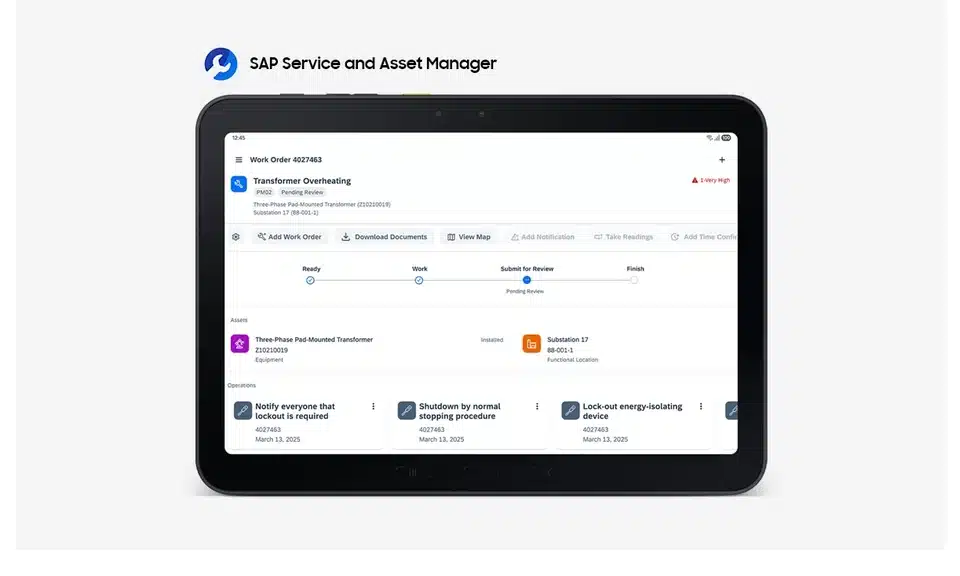
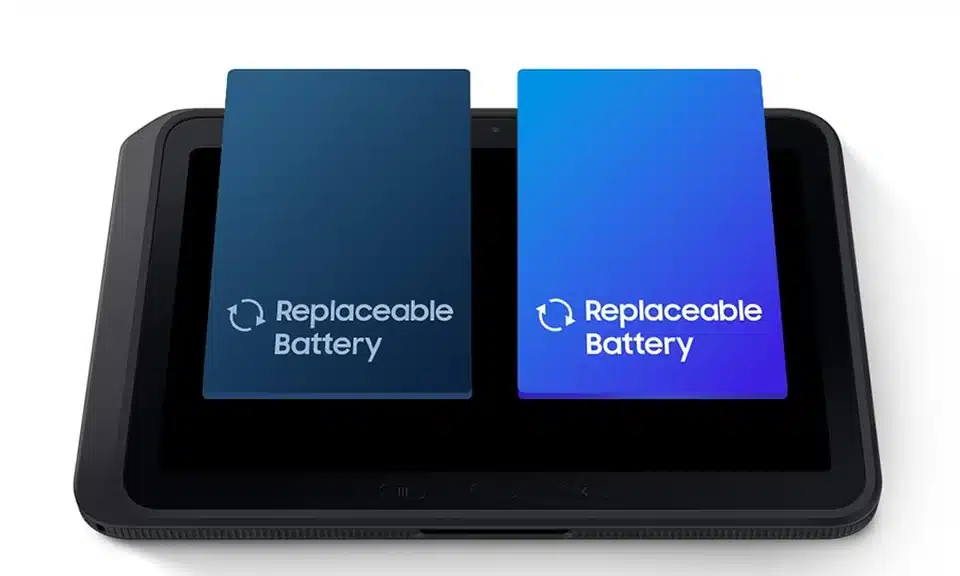
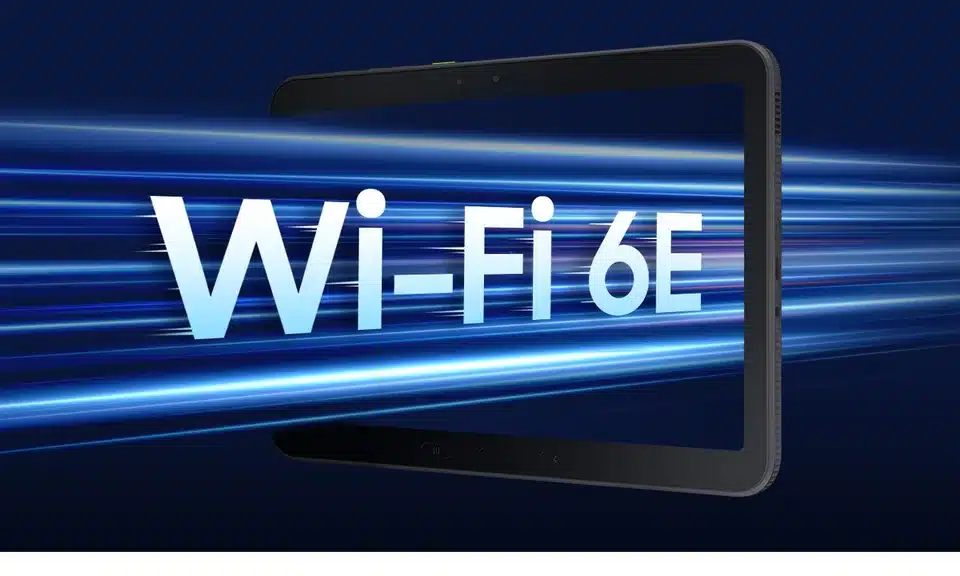
Samsung Galaxy Tab Active5 ProCurrent Australian rugged tablet with IP65/IP68 protection, MIL-STD-810H testing, S Pen, glove and wet-touch support, 5G/Wi-Fi 6E, 600-nit display, 10,100 mAh battery and dual hot-swap capability.
Samsung Galaxy XCover7 ProCurrent Australian rugged phone with IP65/IP68 protection, MIL-STD-810H testing, replaceable 4,350 mAh battery, programmable key, 5G/Wi-Fi 6E, DeX support and Knox security features.
- Android app and MDM support
- Glove, wet-touch and stylus workflows
- Cellular coverage, SIM and eSIM needs
- Barcode, NFC and camera capture
- POGO docks, cradles and vehicle mounts
- Shared-device sign-in and wipe process
Field-user lesson: screen visibility and battery life under continuous GPS are recurring pain points. Pilot outdoors for a complete shift with the actual case, brightness, network and apps.
Plan a tablet and mobile pilot →Built for demanding work
Put the right rugged hardware into the field
We shortlist, configure and support devices around your sites, applications, accessories, connectivity and shift length—then confirm the exact protection and platform requirements before ordering.
IP53–IP66Model-dependent ingress protection
MIL-STD-810HTested ruggedness across the featured range
Up to 24 hoursWith optional second battery on selected models
Windows 11 ProWith RHEL certification on selected models
Specifications, ratings, battery life and certifications vary by model and configuration. Final requirements are confirmed during selection.
 Mobile printing at point of work
 Brother RJ-4255WB
Showcase 03 / Rugged mobile printers
Labels, receipts and proof-of-service at the point of work
Mobile thermal printers support warehousing, logistics, field service, retail, transport and ticketing without ink or toner. The right result depends on label width, media, printer language, wireless design and the application sending the job.
Brother RJ-4255WBLatest Australian 4-inch mobile model with IP54 protection, drop protection up to 2 metres, USB-C, AirPrint, Wi-Fi, MFi and Bluetooth connectivity, 127 mm/sec output and direct thermal printing.
Zebra ZQ600 Plus familyEstablished enterprise option across 2-, 3- and 4-inch formats, with IP54 protection, multiple 1.52-metre drop tolerance, Wi-Fi 6 on the Plus range and central printer-management tooling.
- Receipt, tag or barcode media dimensions
- ZPL, CPCL, ESC/P or app SDK path
- Wi-Fi roaming, Bluetooth and offline use
- Vehicle cradle and battery charging
- Firmware, templates and calibration
- Spare media, heads and replacement units
Business IT lesson: users often describe rugged printers as dependable after setup but frustrating when drivers, templates or wireless configuration are inconsistent. Pilot the exact app, media and network—not only the printer.
Scope a mobile-printing workflow → Mobile data capture in use
 Zebra TC73 / TC78 handheld
 Zebra DS3600 scanner
Showcase 04 / Handhelds + scanners
Scan, validate and update work without returning to a desk
Rugged handheld computers and scanners suit warehousing, delivery, manufacturing and field service where teams must capture damaged labels, long-range barcodes, photos, signatures and job updates in one workflow.
Zebra TC73 / TC78 familyUltra-rugged 6-inch Android mobile computers with IP65/IP68 protection, a manufacturer-rated drop specification up to 3.05 metres, integrated scanning, replaceable battery and Wi-Fi 6E or 5G options depending on model.
Zebra DS3600 familyCorded and cordless ultra-rugged scanners with dual IP65/IP68 sealing, a manufacturer-rated drop specification up to 3 metres, and standard-range, extended-range and direct-part-marking options. Maximum scan distance varies by model and barcode.
- Barcode type, density and working range
- Gun-grip, weight and one-handed use
- Gloves, wet screens and trigger position
- Wi-Fi roaming and 5G coverage
- Replaceable batteries and multi-slot cradles
- MDM, app and scanning-SDK integration
Pilot lesson: test the real damaged, reflective and shrink-wrapped labels at the actual working distance. Validate Wi-Fi roaming between aisles and access points—not only signal strength beside one radio.
Map a mobile data-capture workflow →Prove the complete workflow
Pilot the device, app, scanner and printer together
A rugged product can still fail operationally when the application, barcode range, media, wireless roaming or charging plan has not been tested with real users.
- Real labels and scan distances
- Wi-Fi and cellular roaming
- Application and printer integration
- A complete working shift
 Mounted computing at work
 Zebra VC8300 vehicle mount
 Zebra WT6400 wearable
 Zebra RFD90 RFID sled
Showcase 05 / Vehicle + wearable + RFID
Keep forklifts, pickers and asset teams connected hands-free
Fixed vehicle screens, wrist computers, ring scanners and RFID readers can remove repeated handling from high-volume workflows across warehouses, yards, freezers, transport hubs and asset-heavy sites.
Zebra VC8300 vehicle-mounted computerUltra-rugged Android platform designed for forklifts, tuggers and material-handling vehicles across warehouses, yards and freezer environments. Screen size, keyboard, mounting, power conversion and heated configurations should be selected around the vehicle.
Zebra WT6400 wearable computer4.7-inch wearable with Wi-Fi 6E, Bluetooth 5.3, glove and wet-screen support, 3,500 mAh or 5,000 mAh batteries and extended-freezer configurations rated for operation down to −30°C.
Zebra RFD90 ultra-rugged RFID sledIP65/IP67 UHF RFID reader with a 1.8-metre drop specification, Wi-Fi 6 and manufacturer claims up to 1,300 tag reads per second and up to 22.9 metres of read range, depending on model, tag and environment.
- Vehicle mount, power and driver visibility
- Freezer, condensation and heated options
- Wearable comfort across a complete shift
- Ring scanner pairing and trigger placement
- RFID tag, antenna and site survey
- Charging, asset records and device management
Operational lesson: ergonomics and radio-frequency performance must be tested with the actual operators, vehicles, tags and aisles. Published range and battery figures are planning inputs, not site acceptance results.
Plan a hands-free mobility pilot → Industrial connectivity + security
 Rugged Wi-Fi access point
 Industrial Ethernet switch
 Rugged 4G / 5G gateway
 Industrial rugged firewall
Showcase 06 / Rugged networking
Build the network for the yard, plant, vehicle and remote site
Industrial wireless, switching, cellular gateways and firewalls extend managed connectivity into heat, cold, dust, vibration, unstable power and operational-technology environments where ordinary office hardware is the wrong fit.
Rugged wired + wireless infrastructureFortiSwitch Rugged and FortiAP rugged families cover industrial Ethernet, fibre, PoE and Wi-Fi use cases. Port counts, radio standards, temperature ranges, power inputs and industrial certifications vary by model.
Rugged WAN + securityFortiExtender Rugged and Vehicle models provide managed 4G/5G connectivity for remote sites and vehicles, while FortiGate Rugged appliances add segmentation, secure remote access and threat protection for industrial networks.
- Temperature range and DC power input
- DIN rail, rack, enclosure and ingress rating
- Copper, fibre, PoE and surge requirements
- Antenna placement and RF site survey
- Carrier, SIM, failover and out-of-band access
- OT segmentation, monitoring and remote support
Design lesson: rugged Wi-Fi is not consumer Wi-Fi in a tougher box. Confirm enclosure, temperature, power, antennas, surge protection, rail/substation or hazardous-location standards and the security architecture before selecting hardware.
Design rugged site connectivity →Connectivity is part of the device
Design the network for the yard, plant and remote site
Match rugged switching, Wi-Fi, cellular failover and security to the site’s temperature, power, enclosure, antenna and operational-technology requirements.
- RF and coverage survey
- Power, surge and enclosure design
- Carrier and WAN failover
- OT segmentation and remote support
Specialist hardware
Some environments need more than a mobile endpoint
When the workflow or safety case justifies it, Compuloop can include specialist platforms in the discovery and procurement brief.
Industrial panel PCs + HMIs
Fixed touch interfaces for production equipment, kiosks, control cabinets and operator stations, selected around display, I/O, mounting and cleaning requirements.
Edge computers + gateways
Fanless industrial compute for local analytics, protocol conversion, machine integration and remote management where cloud-only processing is impractical.
Intrinsically safe endpoints
Certified phones, tablets and accessories for potentially explosive atmospheres. The exact zone, gas and dust classification must drive the selection.
Rugged + thermal inspection cameras
Inspection hardware for maintenance evidence, heat anomalies, asset records and field reporting, integrated with the application and storage workflow.
Before you quote
Six decisions that prevent an expensive mismatch
Compuloop can turn operating conditions and workflow requirements into a device, accessory and support shortlist that your team can actually test.
01
Applications and operating system
Confirm Windows or Android, CPU/RAM needs, legacy ports, VPN, browser, printing language, scanning SDK and offline behaviour.

02
Environmental exposure
Separate occasional bumps from dust, rain, vibration, heat, cold, salt, chemicals or explosive-atmosphere requirements.
03
Power and charging
Model a real shift with screen brightness, GPS, 5G, scanning and printing, then plan docks, spare batteries and charging locations.
04
Connectivity
Test Wi-Fi roaming, carrier coverage, SIM/eSIM, GPS, Bluetooth peripherals, private 5G and vehicle antenna needs.
05
Mounting and ergonomics
Review vehicle docks, forklift mounts, straps, handles, keyboards, styluses, gloves, PPE and safe one-handed use.
06
Fleet lifecycle
Define enrolment, security, asset records, spares, warranty ownership, repairs, replacement cycles and secure retirement.
Compuloop deployment approach
From a shortlist to a supportable field fleet
Availability and final configurations vary, so the deployment process is built around evidence rather than a favourite brand.
Map the work
Users, sites, applications, environments, peripherals, connectivity and failure impact.
Pilot the exact setup
Device, case, dock, battery, printer media, network, app and a complete shift with real users.
Configure and secure
Enrolment, MDM, identity, policies, apps, updates, documentation and user handover.
Support the lifecycle
Monitoring, spares, warranty coordination, repair decisions, refresh planning and retirement.
Common questions
Rugged device FAQs
Does every field team need a fully rugged laptop?
No. A fully rugged model is justified when exposure and downtime risk demand it. A semi-rugged laptop or business device with a suitable case can be the better choice for lighter conditions, especially when weight, price and standard support tooling matter.
What do IP65, IP66 and IP68 mean?
Ingress Protection ratings describe tested resistance to solids and water under defined laboratory conditions. They do not make every device waterproof in every situation. Check the exact model, port covers, accessories and manufacturer limitations.
Can rugged tablets and phones be managed through MDM?
Yes, when the chosen model and operating system support the organisation's platform. Compuloop can help plan enrolment, app deployment, policies, updates, shared-device use, lost-device response and secure retirement.
Can you support computers, scanners, printers and networking as one environment?
Yes. The objective is a documented operating model covering identity, applications, Wi-Fi and cellular connectivity, scanners, printers, accessories, warranty ownership, spares and support escalation across the complete field environment.
Do you only recommend Panasonic, Dell, Samsung or Brother?
No. These are current examples with clear manufacturer information. The shortlist should follow the work, software, conditions, service model and Australian availability rather than a fixed supplier list.
What makes Wi-Fi or a network switch rugged?
Industrial models are designed around wider temperature ranges, vibration, dust or water exposure, DC power, DIN-rail mounting, surge conditions and long lifecycle support. The relevant standards and ratings differ by site, so the enclosure and power design matter as much as the product name.
Should we buy before running a pilot?
For a material rollout, no. Pilot the exact model, configuration and accessories with real users. Confirm brightness, batteries, network behaviour, applications, print media, mounts and support processes before scaling.