


Sydney IT Support and Cybersecurity
Sydney IT support for business teams that need fast help, cleaner Microsoft 365, safer devices and practical security advice. Compuloop helps Sydney companies keep email, laptops, Wi-Fi, cloud apps, backups and user access working without a messy support queue.
We support professional services, office teams, growing SMBs and multi-site businesses across Sydney that need clear ownership of technology instead of scattered fixes.
- Managed support for Sydney business teams
- Microsoft 365, Teams, SharePoint and email cleanup
- Cybersecurity with MFA, endpoint, firewall and backup controls
Get a practical support plan for Sydney
Tell us what is slowing the team down. We will review the support gap, Microsoft 365 setup, cybersecurity basics, backups and cloud services, then suggest the most useful next step.
Responsive help for devices, users, Wi-Fi, printers, access and recurring staff issues.
Microsoft 365, Outlook, Teams, SharePoint, OneDrive, identity and mailbox support.
MFA, endpoint protection, email security, firewall review and backup readiness.
Sydney CBD, North Sydney, Parramatta, Chatswood, Surry Hills, Rockdale and Hurstville.
Sydney IT support from a managed service provider
Compuloop Pty Ltd is a managed service provider for Sydney businesses. Our Sydney IT support brings everyday help, Microsoft 365, cybersecurity, backups and cloud services into one agreed scope. For example, an office team can ask us to coordinate device, email and network issues rather than chase separate suppliers.
Our Sydney office is at 60 Martin Place, Sydney NSW 2000. Most support starts remotely; however, onsite work can be arranged when a task needs hands-on attention. Appointments are 08:00–17:00 daily, by prior arrangement. In addition, staffed customer support is available 24/7. Your agreement sets the covered services, response targets and any onsite charges.
Before support starts, we identify the users, devices and systems involved. Then we agree who owns each task, including work with specialist software suppliers. As a result, your team has a clearer path from reporting a problem to following it through.
Sydney IT support pricing: compare the starting scope
Before choosing a managed service provider, compare the published plans and the work each one covers. Australian businesses can start with one user. Then ask for a written quote that confirms your users, systems, responsibilities and any separate costs.
Essentials
A$149
per user / month, excluding GST
Everyday remote helpdesk, Microsoft 365 administration, MFA and email guidance, plus backup status review.
Compare Essentials inclusionsManaged
A$189
per user / month, excluding GST
Priority support, patch checks, EDR and phishing checks, restore checks and monthly support and risk notes.
Compare Managed inclusionsSecure+
A$299
per user / month, excluding GST
Deeper identity and endpoint reviews, recovery planning and a quarterly business review alongside the listed support scope.
Compare Secure+ inclusionsGuide prices, not a fixed quote. One user minimum. Final scope depends on users, devices, locations and risk. Licences, onboarding, onsite work, migrations and projects may be charged separately unless your written quote includes them. Check the current package inclusions and exclusions before choosing.
Sydney IT Support
When a device or account stops working, staff need a clear place to ask for help. Therefore, we bring everyday laptop, desktop, printer, Wi-Fi and cloud-app issues into the agreed support scope. For example, a recurring login fault may need checks across both the device and Microsoft 365.
- Responsive help for staff and managers
- Device, Wi-Fi and application troubleshooting
- Clear ownership of recurring support problems
- Practical recommendations before bigger spend
Microsoft Partner
As a Microsoft-focused support partner, Compuloop helps Sydney teams manage Outlook, Teams, SharePoint and OneDrive. To begin with, we review the accounts, permissions and shared tools your staff use. Then we agree the changes needed to make daily work easier to support and safer to manage.
- Teams and SharePoint structure reviews
- Mailbox, calendar and user access support
- Microsoft 365 security and permission checks
- Cleaner onboarding and offboarding steps
Cybersecurity
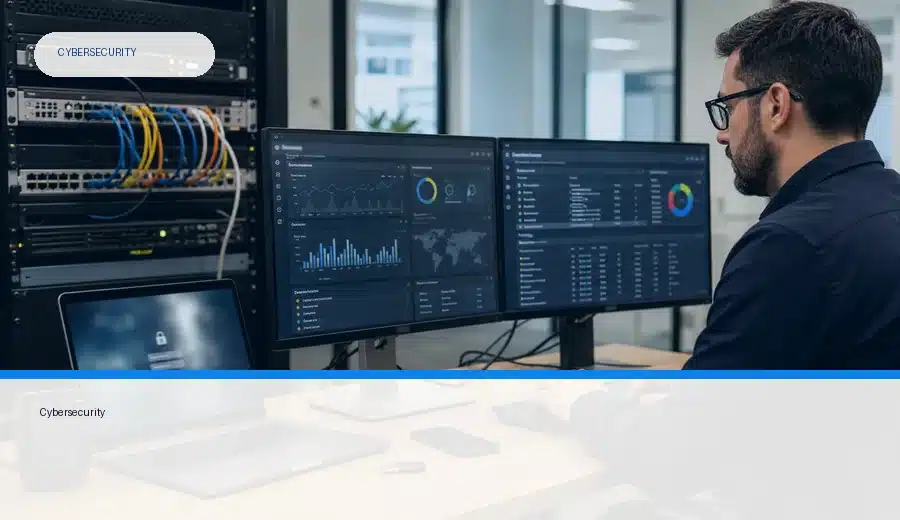
Cybersecurity should reduce risk without making everyday work harder. Before recommending changes, we review access, email, devices and the network around your business systems. Then we prioritise practical changes, including backup and recovery checks, so owners can see what needs attention.
- MFA and account-protection checks
- Email, endpoint and phishing risk reduction
- Firewall and secure remote-access review
- Backup readiness and recovery visibility
Need Sydney support that feels practical?
Tell us which systems or staff need help. Then we can discuss a practical next step for Sydney IT support, Microsoft 365, cybersecurity, backups or cloud hosting. Before work starts, we confirm availability and the agreed scope.
Make Microsoft 365 easier for Sydney staff to use safely
Many Sydney businesses pay for Microsoft 365 but still struggle with permissions, shared files and staff access. For example, an Outlook issue may also involve an old account, a shared mailbox or a device setting. Therefore, we look at the wider setup rather than treat every symptom as a separate fault.
To begin with, we review users, groups, admin roles and device access. After that, we check mailbox delegation, Teams structure and the steps for staff joining or leaving. Together, these checks help make Microsoft 365 easier for your team to use and manage.

Cybersecurity that protects Sydney businesses without vendor noise
Start with the controls that protect your daily work: secure accounts, supported devices, email protection and working backups. Then check how staff connect remotely and who follows up security concerns. This gives the business a clearer set of priorities before buying more products.
For example, we can review Fortinet firewall policies, Cisco networks and Microsoft 365 settings within the agreed scope. We can also discuss application controls, including existing ThreatLocker-style environments. However, the right mix depends on your systems, risk and responsibilities.
For independent advice, read the small business cyber security handbook on cyber.gov.au. Then discuss which steps fit your own business.

Fortinet
Firewall and network security reviews for Sydney offices that need safer connectivity, VPN, segmentation and practical perimeter control.
Cisco
Network and connectivity support for business environments where switches, Wi-Fi, routing and secure access need to be stable.
ThreatLocker
Application control and endpoint restriction discussions for businesses that want to reduce unknown software and ransomware risk.
Business IT support across key Sydney areas
Compuloop provides managed IT support across Sydney CBD, North Sydney, Parramatta, Chatswood, Surry Hills, Bondi Junction, Rockdale and Hurstville. We also support nearby business areas. Although locations differ, teams often need the same basics: reliable email, secure devices, working backups and clear support contacts.
Before we plan support, tell us where staff work and which systems they rely on. Then identify any tasks that need onsite access. We can then agree remote support, planned visits and supplier responsibilities around your locations and operating hours.
- Sydney CBD 2000
- North Sydney 2060
- Parramatta 2150
- Chatswood 2067
- Surry Hills 2010
- Bondi Junction 2022
- Rockdale 2216
- Hurstville 2220
Project evidence to help you choose an MSP
When comparing Sydney IT support, look beyond a list of products. For example, review the starting problem and the work delivered. Then check the evidence of change. These anonymous case studies explain relevant Microsoft 365 and network-security projects in detail.
Professional services · Microsoft 365
Identity security and mailbox incident response
A Microsoft 365 review for an Australian advisory firm uncovered an active mailbox breach. The case study explains containment, identity hardening and email controls across 45 users.
Read the Microsoft 365 identity security case studyRetail · Multi-site networking
Network security across 22 retail stores
See how a staged rollout separated payment systems, staff devices, guest Wi-Fi and CCTV across 22 Australian stores. The project records the design, rollout checks and measured results.
Read the retail network security case studyBoth case studies describe completed Australian projects with client identities withheld. Their scope and results are specific to those engagements; discuss your own systems and requirements before comparing outcomes.
What Sydney businesses should expect from managed IT support
Useful Sydney IT support should give owners a clear view of the work being done. Before choosing a plan, agree how staff request help and how urgent issues are handled. Then confirm who manages Microsoft 365, reviews security concerns and checks backups. Also ask how recurring faults and outstanding risks will be reported.
For example, a useful update should explain the issue, its owner and the next action in plain English. This helps managers compare progress rather than rely on a list of products. Finally, review the agreed scope as staff, sites and systems change.
Questions Sydney businesses usually ask first
Yes. Compuloop supports Sydney business teams that need responsive help with devices, Microsoft 365, user access, networks, backups and practical cybersecurity.
Yes. We help Sydney teams improve Outlook, Teams, SharePoint, OneDrive, mailbox permissions, calendars, MFA, user onboarding and offboarding, so Microsoft 365 is easier to manage and safer to use.
Yes. We can review security around firewalls, networks, endpoints, email, remote access and application control, including Fortinet, Cisco and ThreatLocker-style environments where those tools are already in place.
Most support starts remotely so issues move quickly, but onsite help can be arranged for work that needs hands-on attention, such as network faults, device setup, Wi-Fi troubleshooting or physical equipment checks.
Compuloop supports Sydney CBD and wider business areas including North Sydney, Parramatta, Chatswood, Surry Hills, Bondi Junction, Rockdale, Hurstville and nearby commercial locations.