Cyber Security Month · Australia · October 2026
The email looks right.
The bank account isn’t.
A familiar supplier. An invoice you were expecting. A request to use new bank details before today’s payment run. Would your team stop—or pay?
Picture that moment in your own business. Nobody is downloading a suspicious attachment. Nobody is handing over a password. Someone is simply trying to get an ordinary job finished.
This hypothetical scenario gets to the point of Cyber Security Month: how do your people, technology and processes hold up when the work looks routine? This guide helps Australian businesses test that question with local statistics, a team exercise and a four-week checklist.
This October, the Australian Signals Directorate (ASD) is calling its campaign Cyber Security Action Month, with the theme “Take a second. Stay secure.” Here is a practical way to put that message to the test. Source: ASD, 1 October 2026.

Would this payment leave your account?
Try this with your finance team before showing them the answer. The message below is fictional; it is not a customer email or a reported Compuloop incident.
Subject: Updated banking details for today’s invoice
Hi team,
We’ve changed banks. Please use the new details on the attached invoice for today’s payment. The amount and reference are unchanged. Can you confirm once it’s processed?
Thanks, Accounts
The supplier’s name is familiar. The amount is correct. What happens next?
- Pay it—the invoice matches the work.
- Reply to the email and ask them to confirm.
- Hold the change and contact the supplier using independently verified contact details.
Reveal the safer response—and why
C: verify through a trusted, separate contact route. A reply stays inside the same email conversation; it does not independently establish who is controlling it. ASD recommends verifying unusual payment requests on a known phone number, not one supplied in the message.
Make the check part of your payment approval process. Staff also need permission to pause a transfer when someone is pushing them to skip it. ASD’s business email compromise guidance.
The useful discussion is what your process would do next. Who makes the call? Where do they find the trusted number? Who can authorise a change? If the usual approver is on leave, does the check still happen?
$56,600 deserves more than a passing glance
ASD’s Annual Cyber Threat Report 2024–25 provides the following figures. These cover FY2024–25, not calendar 2026.
Small-business reported costs: three years
Average self-reported cost per report · AUD · zero-based scale
Read the figures correctly: reports are not a count of every attack. These self-reported averages are not a forecast of your business’s loss, and reporting patterns can affect comparisons. A national average is context—not a substitute for assessing your own systems.
Put the national figures aside for a moment and ask a local question: if your team lost access to its email, job files or accounting system tomorrow, which work would stop first? That answer is a better starting point for your security priorities than a shopping list of software.
Another measure: reported data breaches reached a record
The Office of the Australian Information Commissioner (OAIC) reported 1,205 data-breach notifications in calendar 2025, up from 1,112 in 2024. Its 6 July 2026 release identifies this as the highest annual total since the scheme began.
Data-breach notifications to the OAIC
Calendar years · notification counts · zero-based scale
Which sectors reported the most?
Calendar 2025 · selected leading sectors · notification counts
Different datasets: OAIC breach notifications and ASD cybercrime reports measure different things. Do not add them together or treat them as the same population.
The 2026 twist: attackers may have more speed
In July 2026, ASD warned that hackers may use AI to find and exploit vulnerabilities rapidly, target many victims, and move quickly from entry to theft or extortion. Its guidance for medium-sized businesses puts internet-facing services and prompt patching near the top of the action list. Read the July guidance.
That does not establish that every attack uses AI. It does make a familiar management question more urgent: who owns the website, remote-access service or old server that everyone assumes somebody else is maintaining?
Ask for an owner, a support status and an update process. If a system cannot be patched, ask for a documented mitigation or replacement plan. “It still works” is an availability observation, not a security assessment.

Cyber security awareness: three answers worth questioning
“We have MFA.”
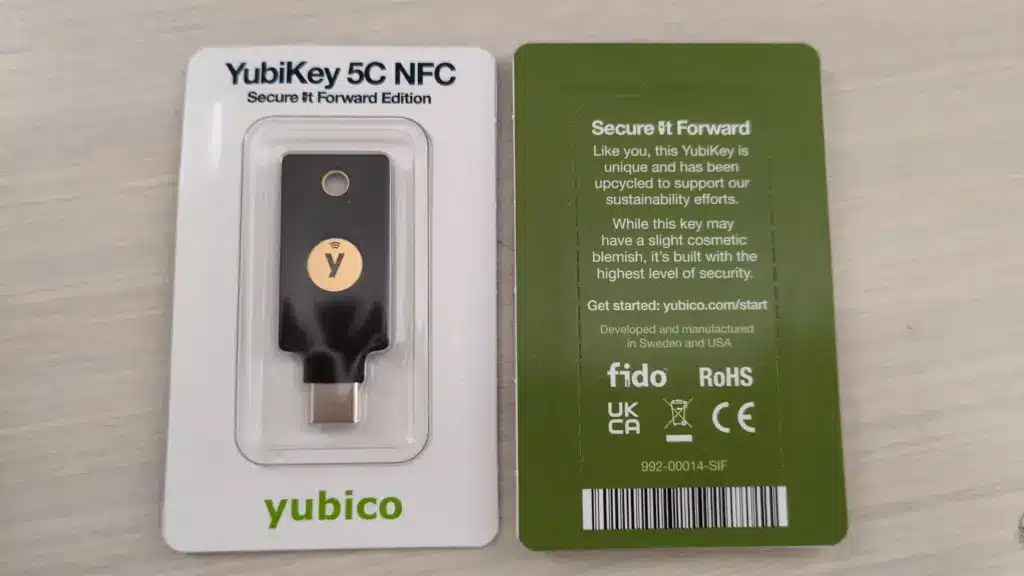
Good. Which accounts and applications does it cover? Where are the exceptions? Ask for enforced coverage, not the number of people who registered an authenticator app. ASD recommends multi-factor authentication wherever possible.
For Microsoft 365 environments, our Australian business guide to Microsoft 365 passkeys covers rollout considerations and hardware options.
“Everything is in the cloud.”
Where would you recover a deleted or damaged business file from—and which version would you get? ASD distinguishes cloud storage from backup services. Check the recovery features and retention your business actually has. Read ASD’s backup guidance.
“The staff finished their training.”
Now give them the supplier scenario above. Let them explain the next step in their own words. A hesitation is useful: it shows where the process needs clearer instructions, an available decision-maker or a better reporting route.
A dashboard is useful. An accountable response is essential.
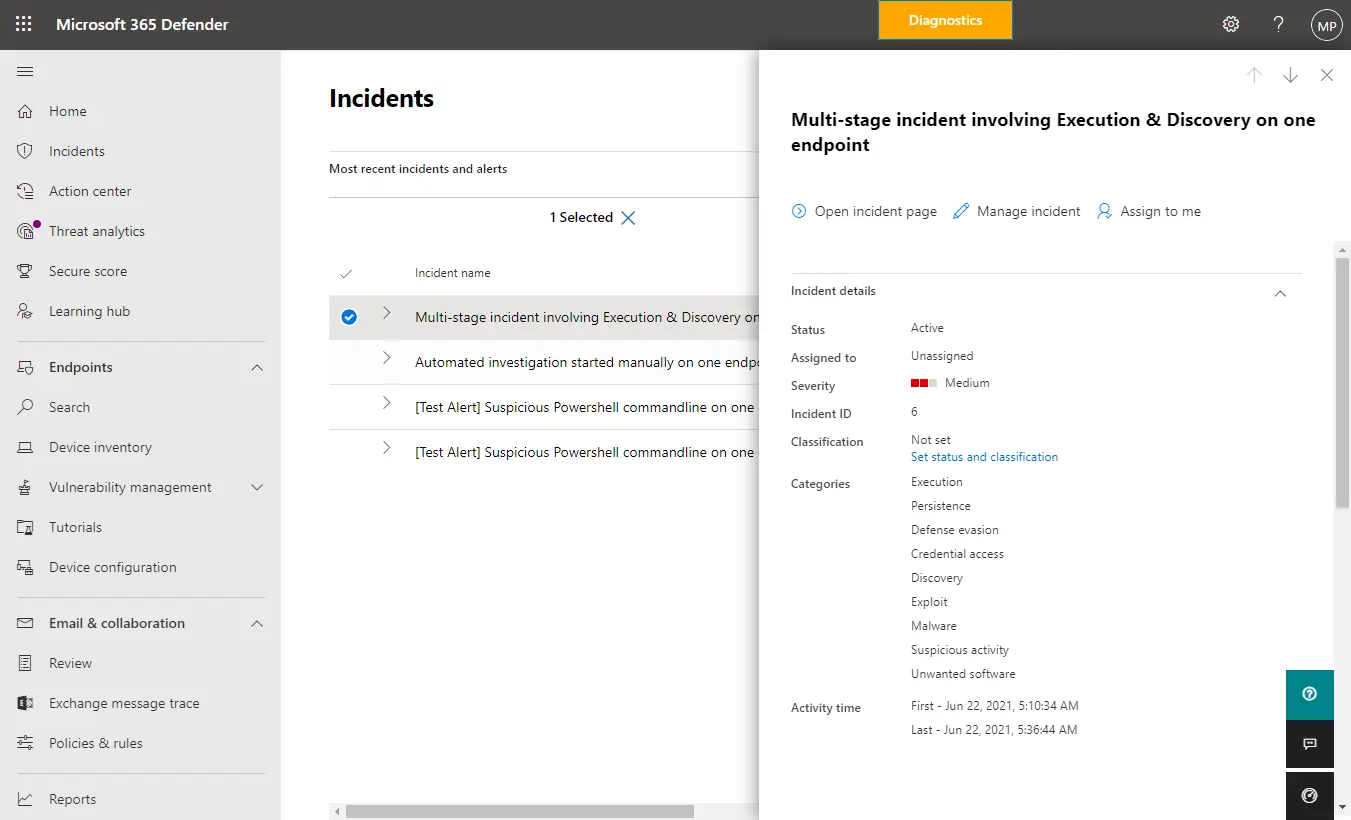
Microsoft Defender for Business uses the Microsoft Defender portal to surface incidents, recommendations and reports. A useful conversation with your IT provider is who reviews the information, which alerts need action and where that action is recorded. Microsoft’s portal guide explains the interface.
Your Cyber Security Month checklist: four weeks, four checks
Use this Cyber Security Month checklist to turn discussion into evidence. It is Compuloop’s suggested October plan, not a compliance certification. Put a name and a date against each check. Keep sensitive evidence in your controlled IT documentation.
Show who can get in
Review email, finance, remote-access and administrator accounts. Check MFA coverage and investigate old access that no longer has a business owner.
Owner: IT provider + system owners.
Find the forgotten systems
Reconcile devices and internet-facing services with your inventory. Check update status and unsupported software. Plan changes with testing and rollback arrangements.
Owner: IT provider + operations.
Get a working file back
Arrange a controlled restore of important business data. Have its owner check the version and usability. Record the time taken without disrupting production.
Owner: backup administrator + data owner.
Practise the awkward call
Rehearse a suspicious payment request or lost laptop. Test who answers, who decides and what happens if the first contact is unavailable.
Owner: business manager + finance + IT.
For a structured team session, use ASD’s free Exercise in a Box. Pick a scenario that fits your business, discuss it without blame and turn the gaps into assigned actions.
By 31 October, be able to show what changed—and explain what still needs work.
Start with one check this week. Then put the next review in the calendar before Cyber Security Month ends. The aim is a habit the business can maintain, not a checklist that disappears on 1 November.
Continue with our ransomware threats watchlist, or follow Compuloop’s Australian IT and cybersecurity news for further updates.
Bring us the questions you cannot answer yet.
Not sure which accounts have MFA, whether an old system is exposed, or how quickly your data could be restored? Compuloop can help you review the gaps and agree on the priorities.
See what our cybersecurity services cover. We agree the scope and fees before work begins.
Sources and editorial notes
Prepared by Compuloop · Sources checked 4 October 2026. Campaign guidance is for October 2026; ASD statistics cover FY2024–25 and the OAIC charts cover calendar 2024–2025. Photographs are credited archival or product images; the cover is labelled AI-generated. The four-week plan is Compuloop’s editorial recommendation. This article does not imply government endorsement or certify compliance.
- ASD: Cyber Security Action Month announcement — 1 October 2026.
- ASD: Annual Cyber Threat Report 2024–25 — published 14 October 2025; year-in-review figures and Figure 3.
- ASD: Multi-factor authentication.
- ASD: How to back up your files and devices.
- ASD: Preventing business email compromise.
- ASD: Exercise in a Box.
- ASD: Defending against AI-enabled cyber attacks—guidance for medium-sized businesses — 6 July 2026.
- OAIC: Data breach notifications increase to all-time high in 2025 — 6 July 2026.
- Microsoft Learn: Visit the Microsoft Defender portal — product interface reference, not an incident dataset.